
Source account selection
At this stage, the system displays the available accounts to perform the international transfer, allowing you to identify the origin of the funds. You must select the corresponding account and continue with the process. Once the account has been selected, the system enables the recipient information capture flow.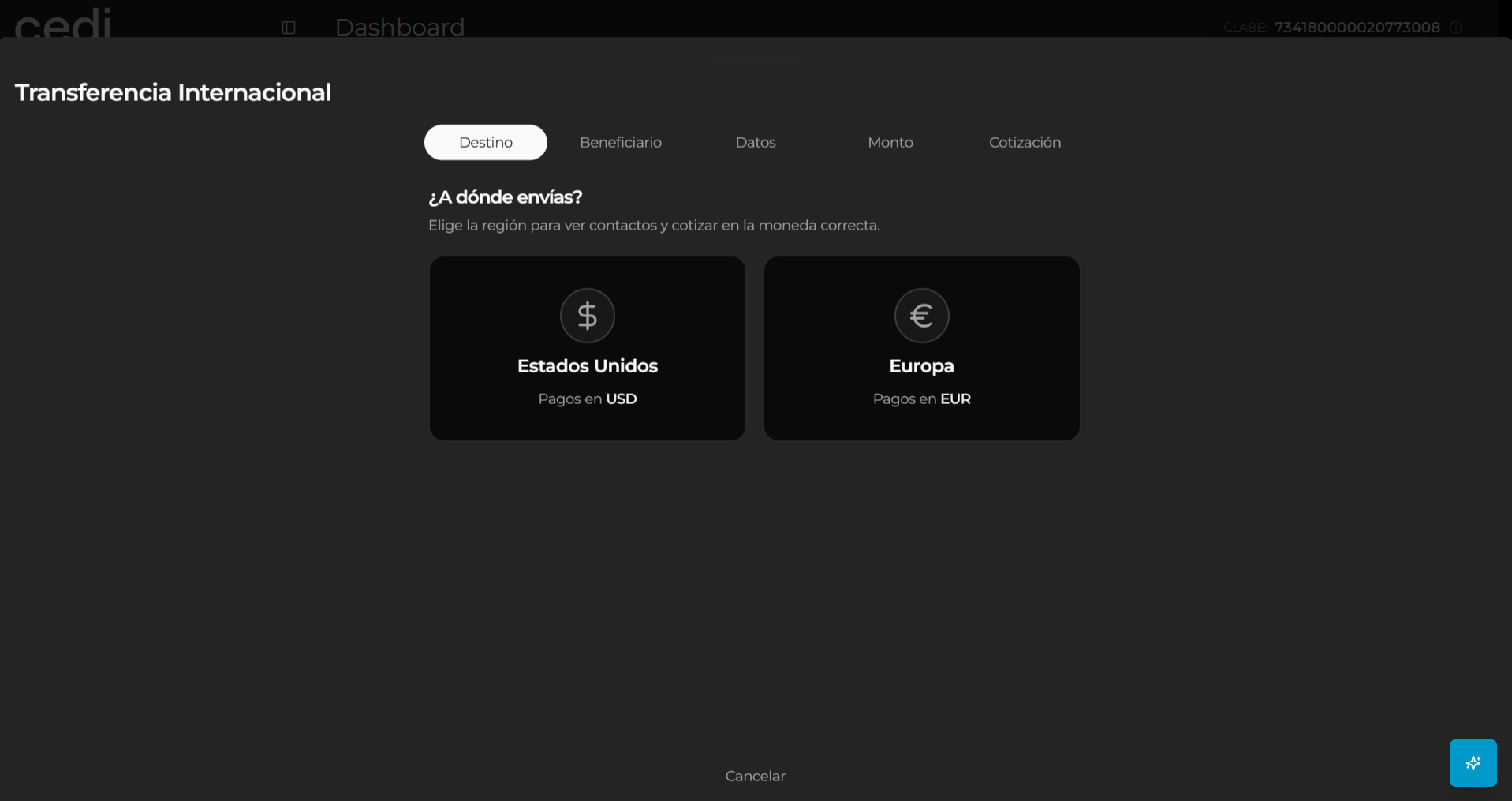
Recipient information
The system displays the “Recipient information” form, where you must enter the data of the person or company that will receive the transfer. In this section, you must capture the following information:- Recipient name
- Account number
- Bank name
- Recipient address
- City
- State
- Postal code
- Country
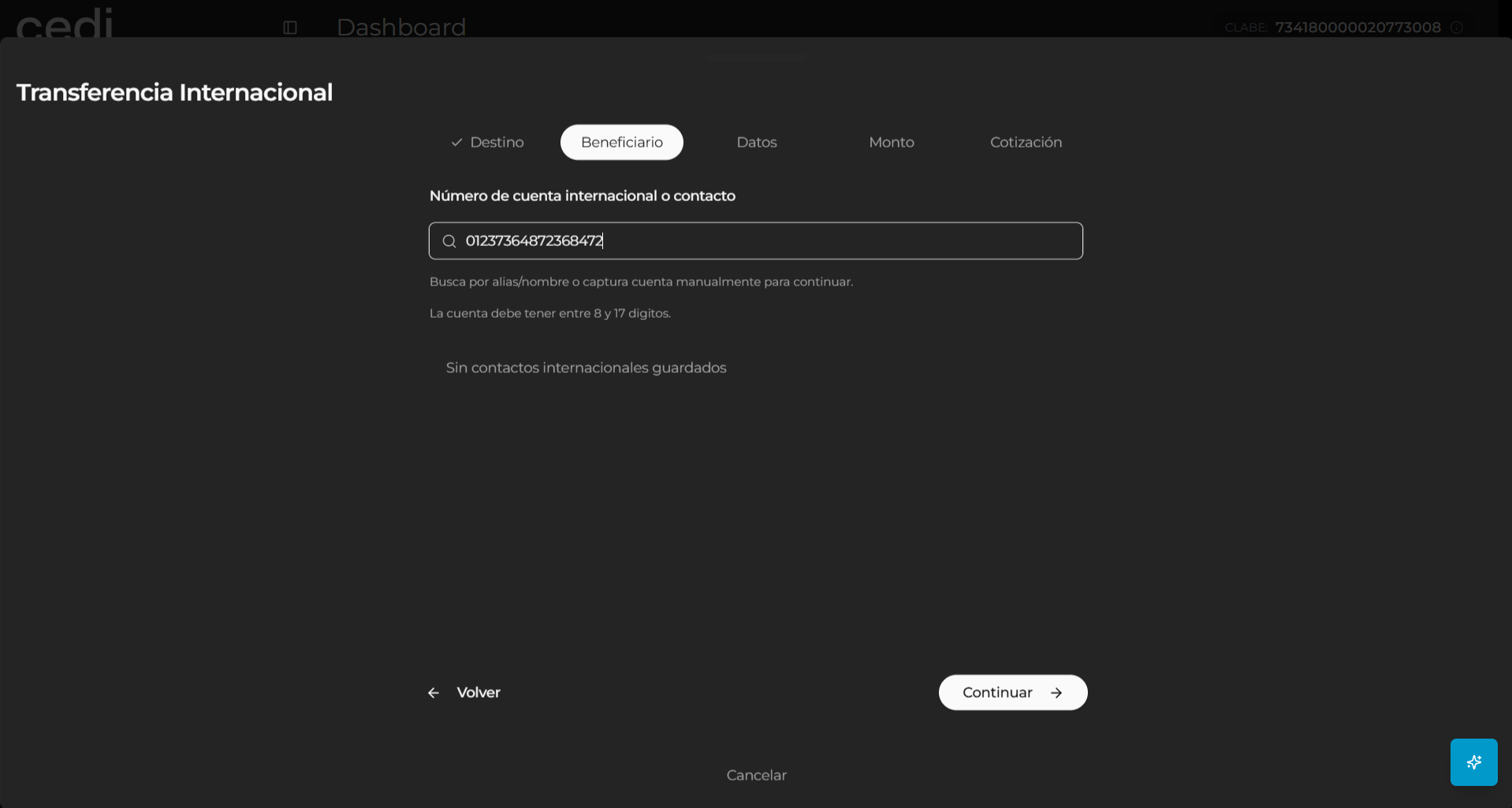
Enabled account validation
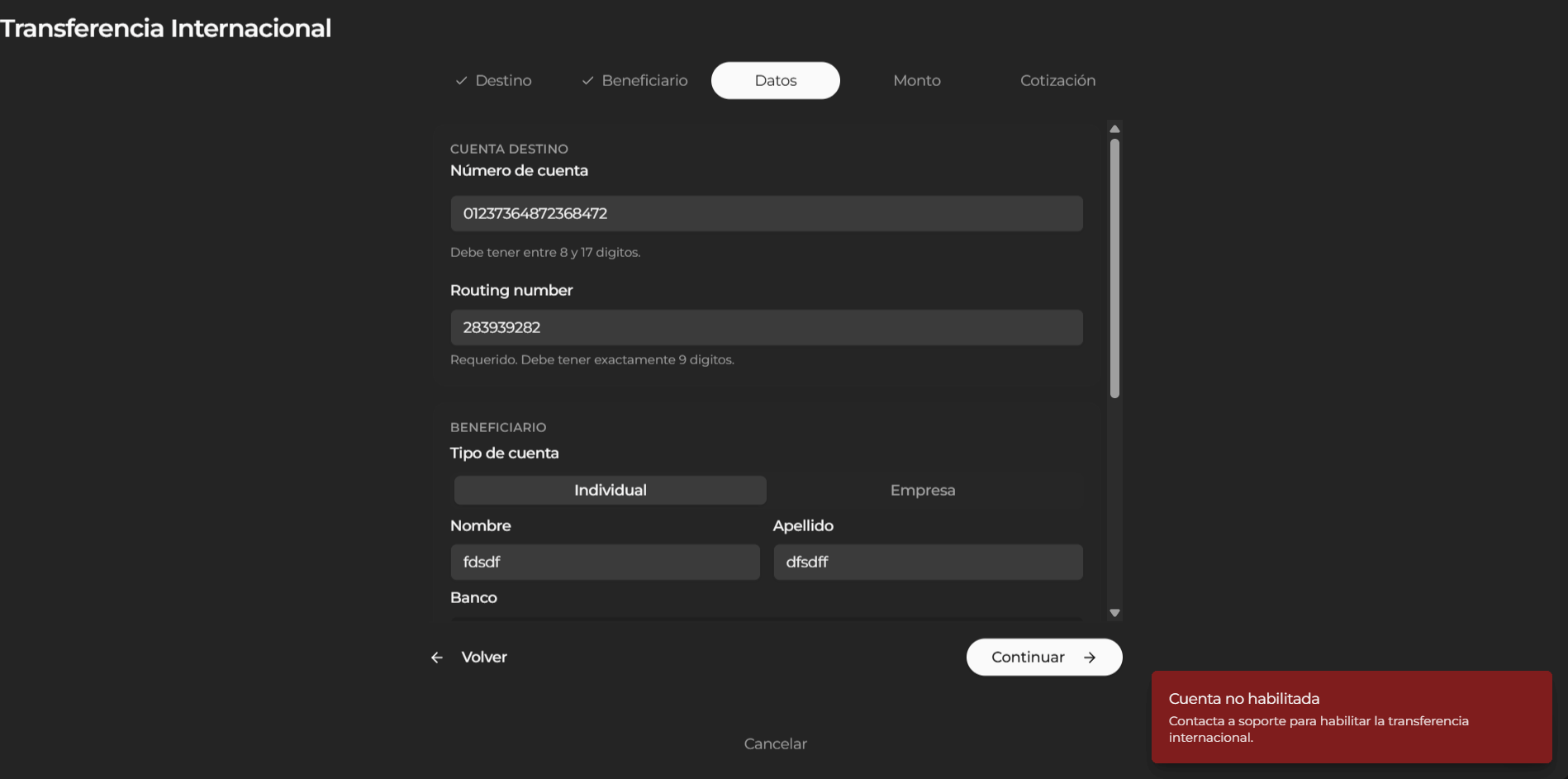
During the process, the system validates that the selected account is enabled to perform international transfers. If the account is not enabled, the system displays an informational message indicating that the account does not have permissions to perform this type of operations. In this case, you must:- Verify the status of your account
- Request the corresponding enablement
- Select another available account
Transfer amount and concept
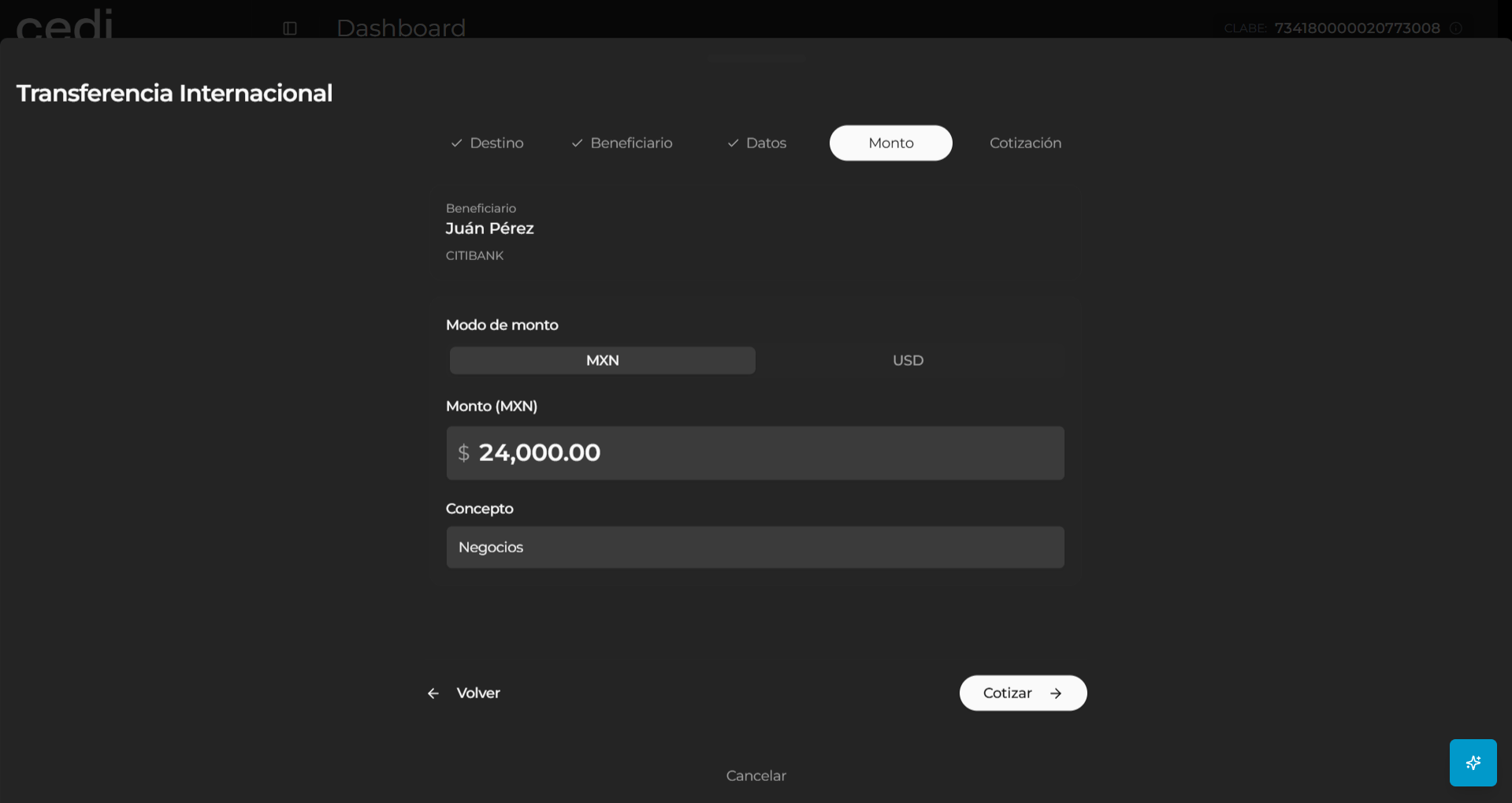
At this stage, the system displays the “Amount” form, where you must enter the financial information of the operation. The requested data includes:- Transfer currency
- Amount to send
- Payment concept
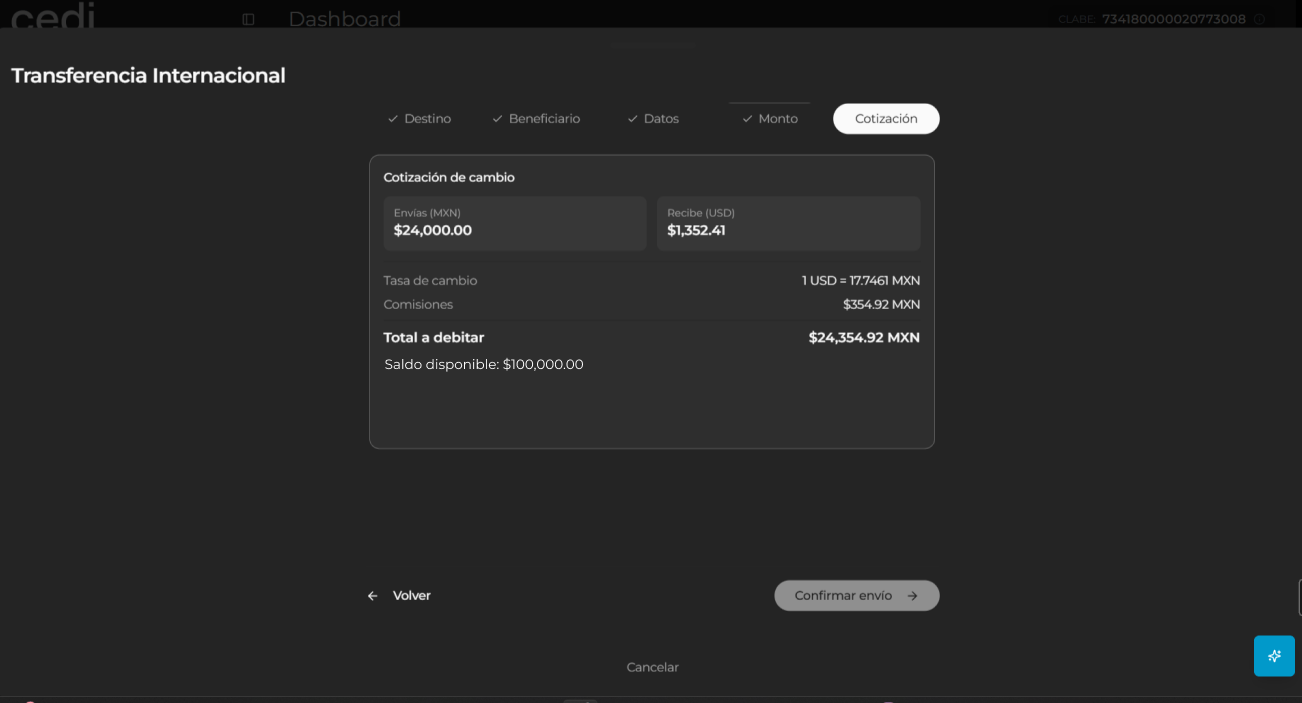
Transfer quotation
Subsequently, the system displays the “Quotation” window, where the financial summary of the operation is presented before its confirmation. On this screen, the system displays:- Amount sent
- Source currency
- Destination currency
- Applied exchange rate
- Operation fee
- Total to be debited
- Intermediary bank information
Transfer confirmation
Once the information has been validated, you can select the “Confirm” option to finalize the process. The system processes the international transfer and, upon completion, performs the following actions:- Confirms that the transfer was successfully completed
- Updates the available balance
- Records the movement in the transaction history
- Allows you to review the operation details at any time