
Dispersions Module
You access the “Disbursements” module from the system side menu. Upon entering, the system displays the available balance and the “New dispersion” button, allowing you to immediately review the available resources to perform operations. On this same screen, the system presents the “Disbursements history” section, where you can view the dispersions previously carried out. These can be classified as executed or scheduled dispersions, and you can select the type of dispersion you wish to consult according to your needs. Likewise, the system allows you to select the “Refresh” option to update the displayed information and ensure that you are viewing the most recent data.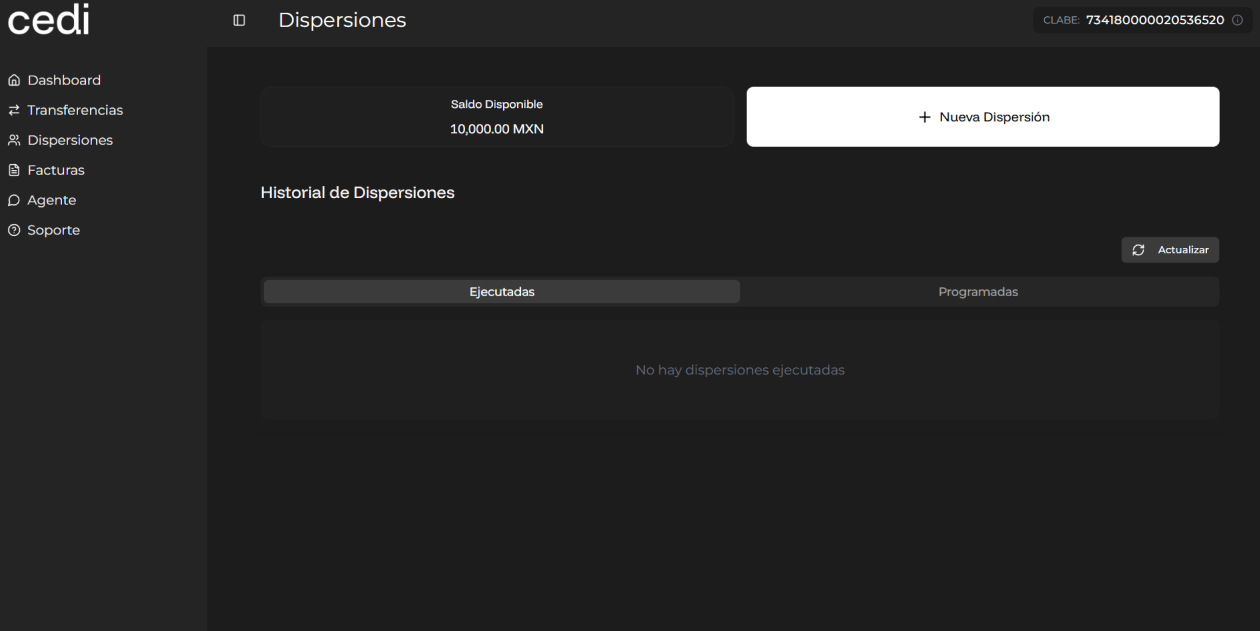
New dispersion
To start a new process, you must select the “New disbursement” button. The system displays the corresponding screen, where you are asked to upload a dispersion file in Excel format.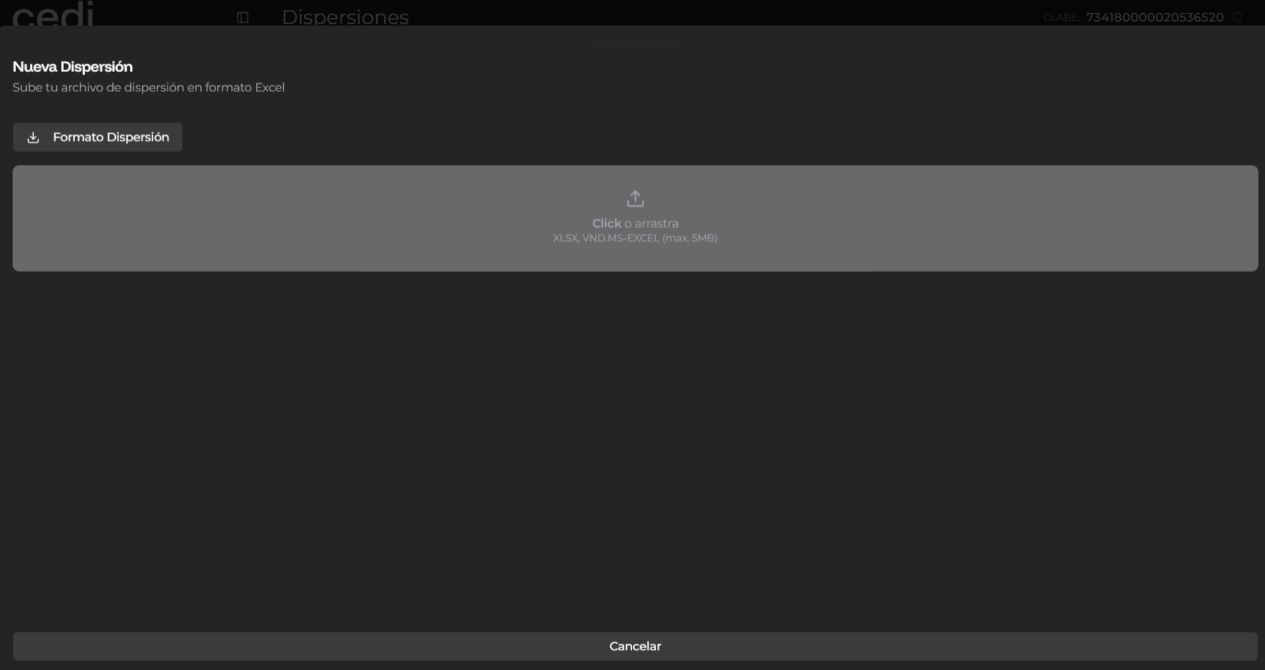
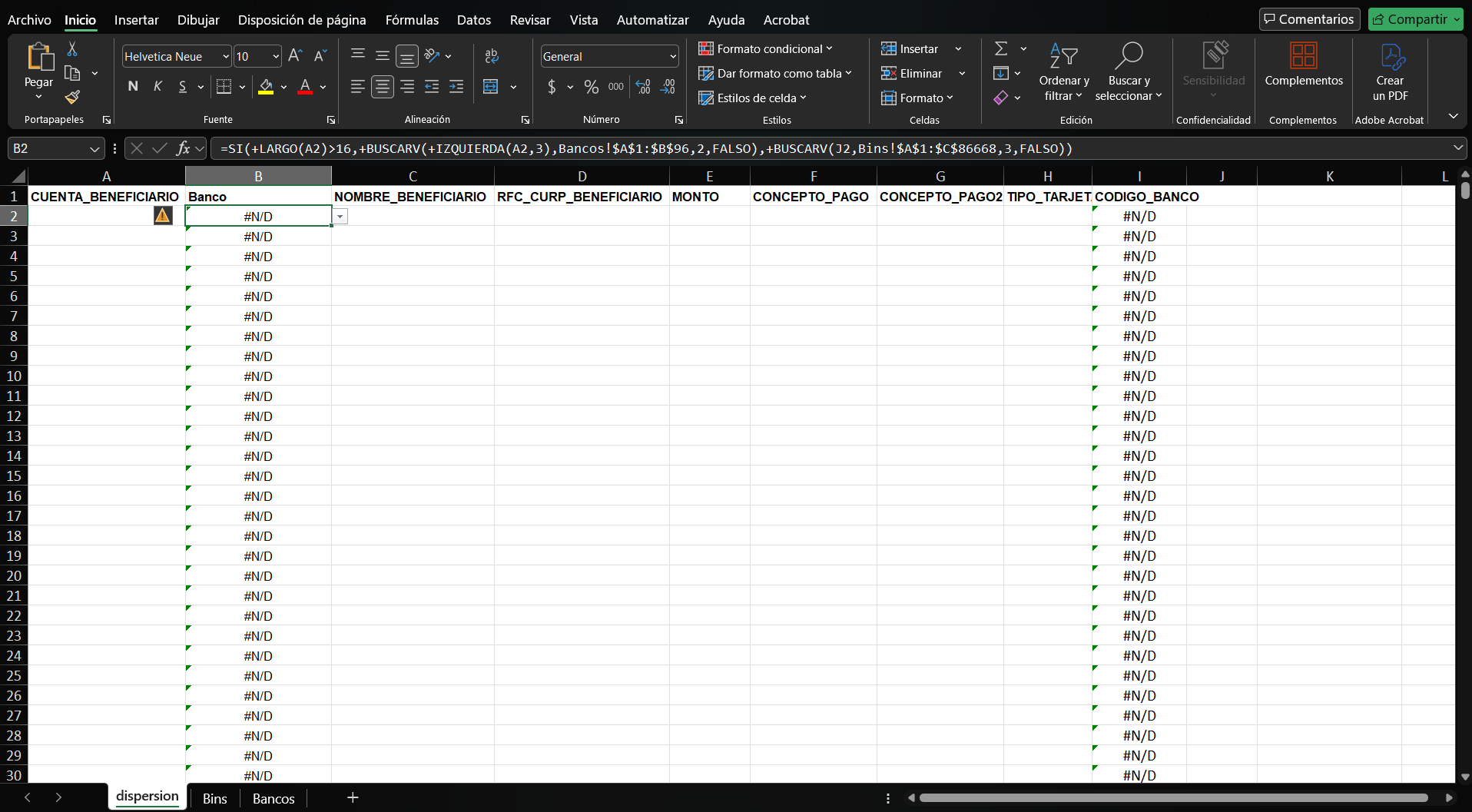
- XLSX
- CSV
The system analyzes the information contained in the file and evaluates whether the data is correct.
- If the file is valid, the system allows you to continue with the dispersion process.
- If the file is not valid, the system displays an error message and asks you to correct the information before uploading the file again.
Once the file has been validated, the system displays a summary of the dispersion with the data that will be processed. You must carefully review the presented information and confirm the operation to continue. The system processes the dispersion and, upon completion, displays a message confirming that the operation was successfully carried out. Finally, the system registers the transaction in the dispersion history, allowing its subsequent consultation.